Skip to content
Jemin Park

← Work

2023UX/UI

HYUNDAI NEO

NEO, a unified app concept merging Hyundai's Bluelink and My Hyundai, from the Softeer Bootcamp.
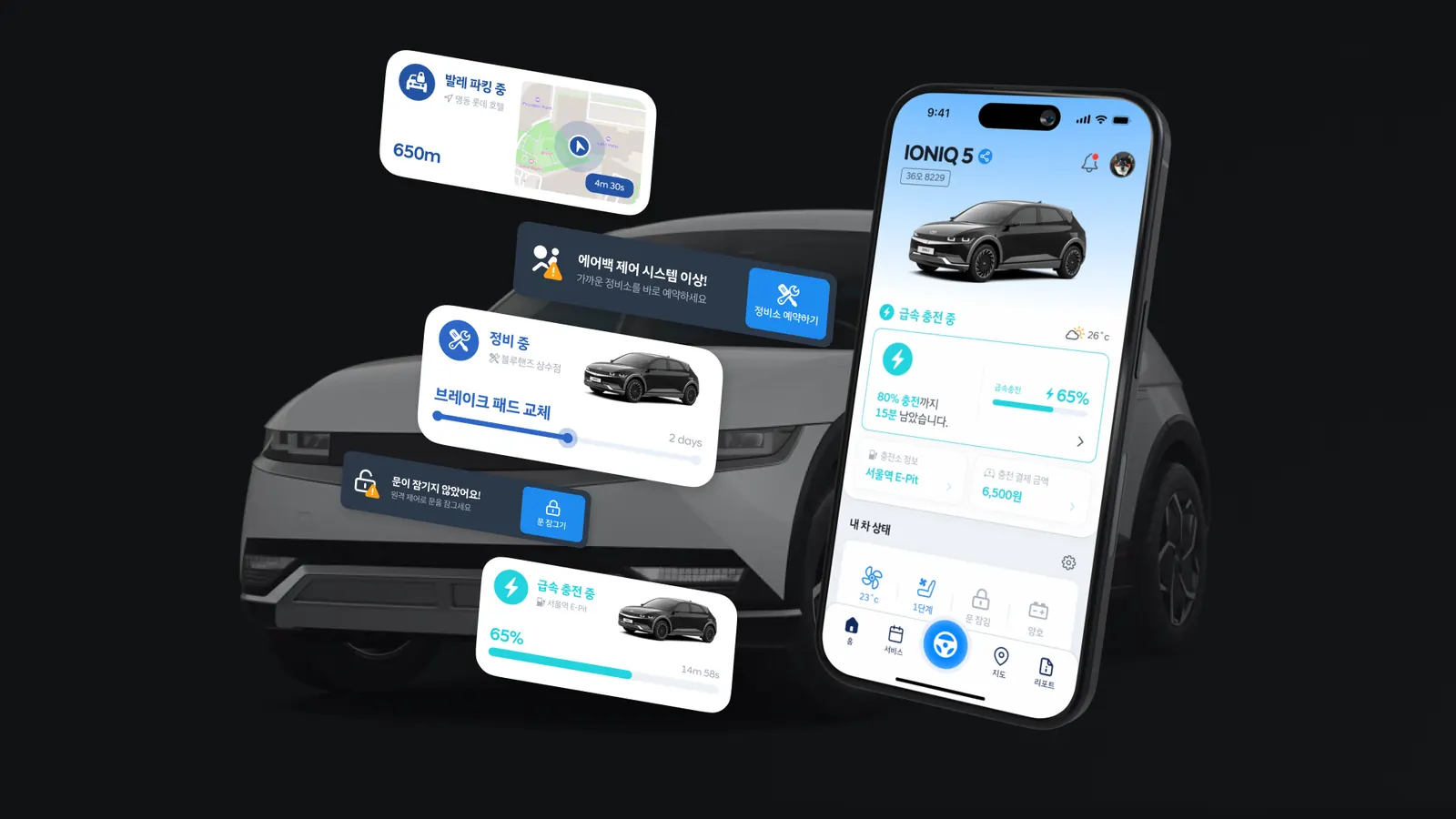
NEO app concept main visual
Context
Hyundai Motor Group Softeer Bootcamp
Timeline
2023.07 – 08
Role
UX/UI, Prototype
Tools
Figma, ProtoPie

Overview

Proposed NEO—a unified app merging Hyundai’s Bluelink and My Hyundai—for real-time vehicle monitoring and personalized service recommendations.

Home
SYNC Block
Live Activity

Problem

With the increasing demand for connected car services, the need to consolidate Hyundai’s fragmented services into one app has emerged, aiming to lock in users.

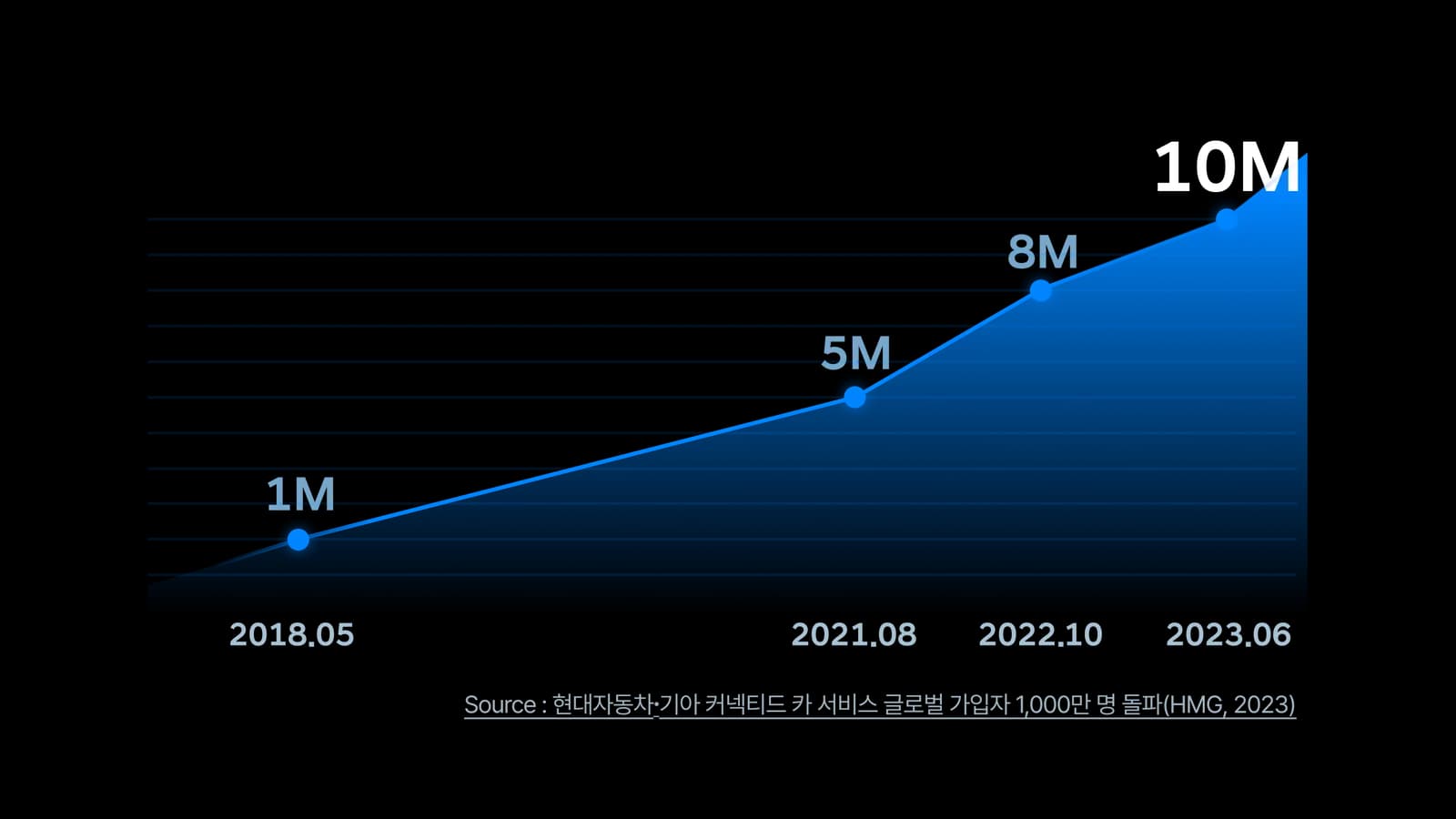
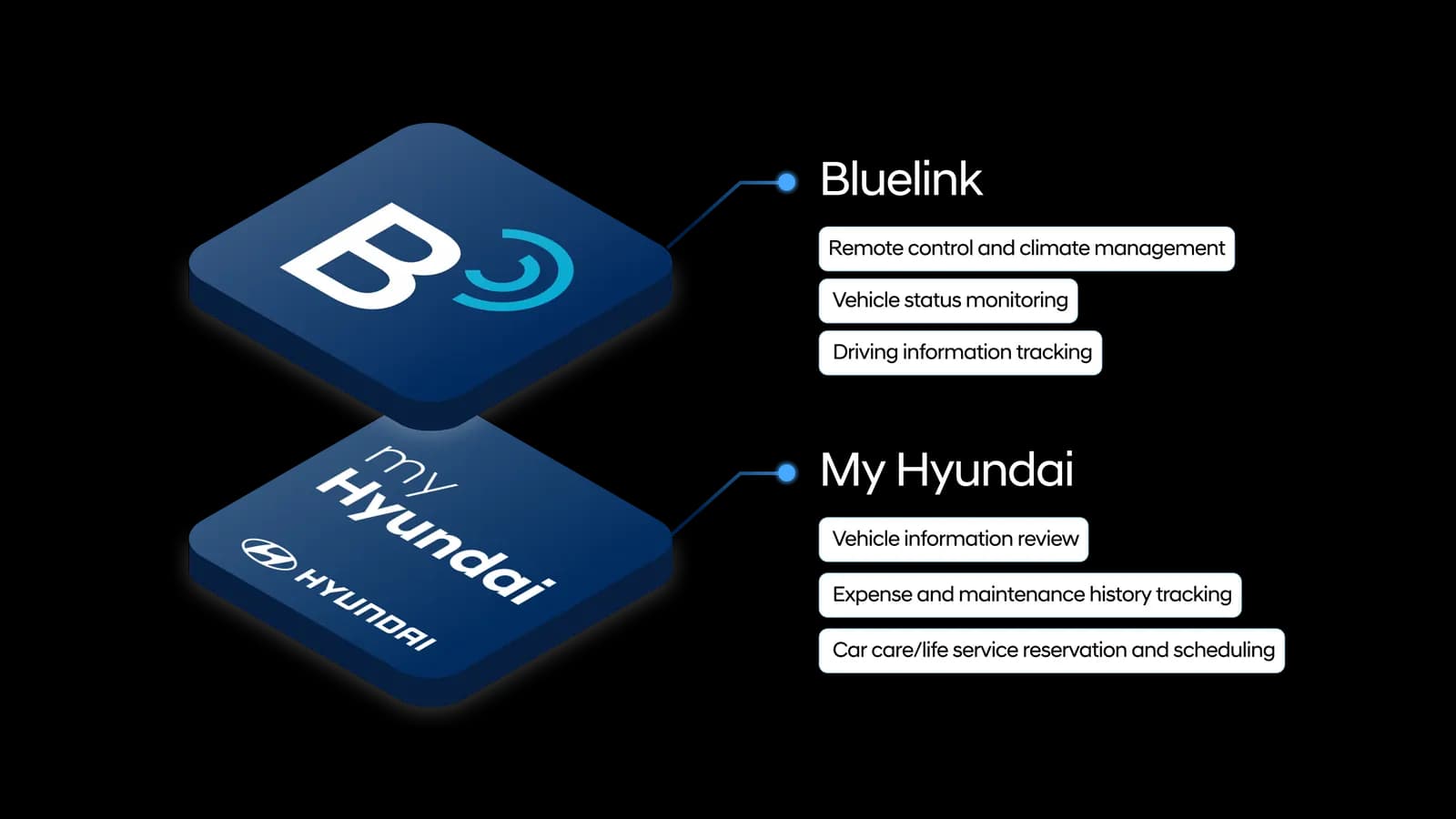
Background: Hyundai's fragmented connected-car services
Background: the case for one unified app

Strategy

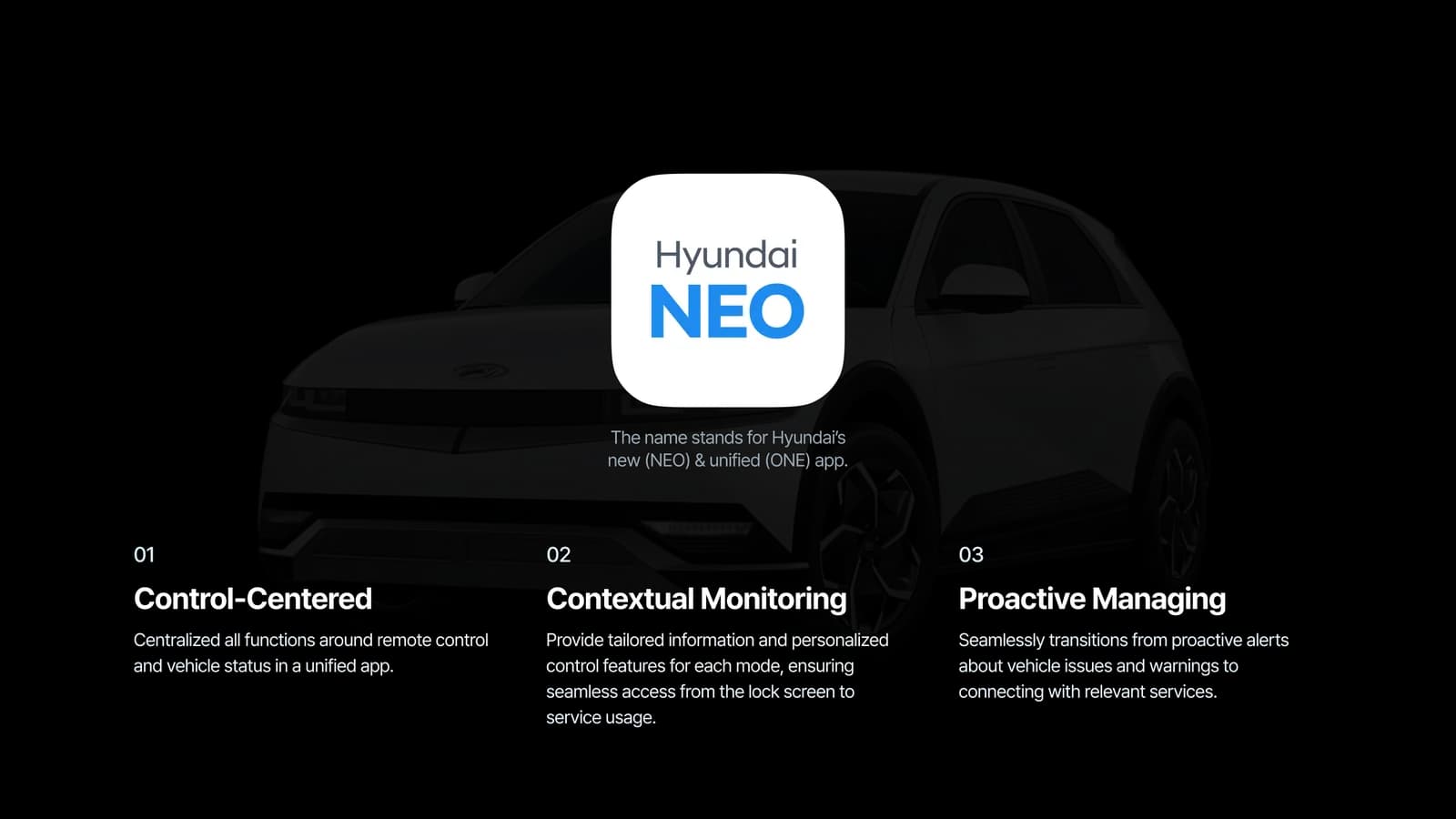
Hyundai’s new One App - NEO - offers personalized information based on the user’s situation both within and outside the app, providing proactive alerts and follow-up services based on the car’s condition.

NEO core value diagram
NEO core value summary

Home

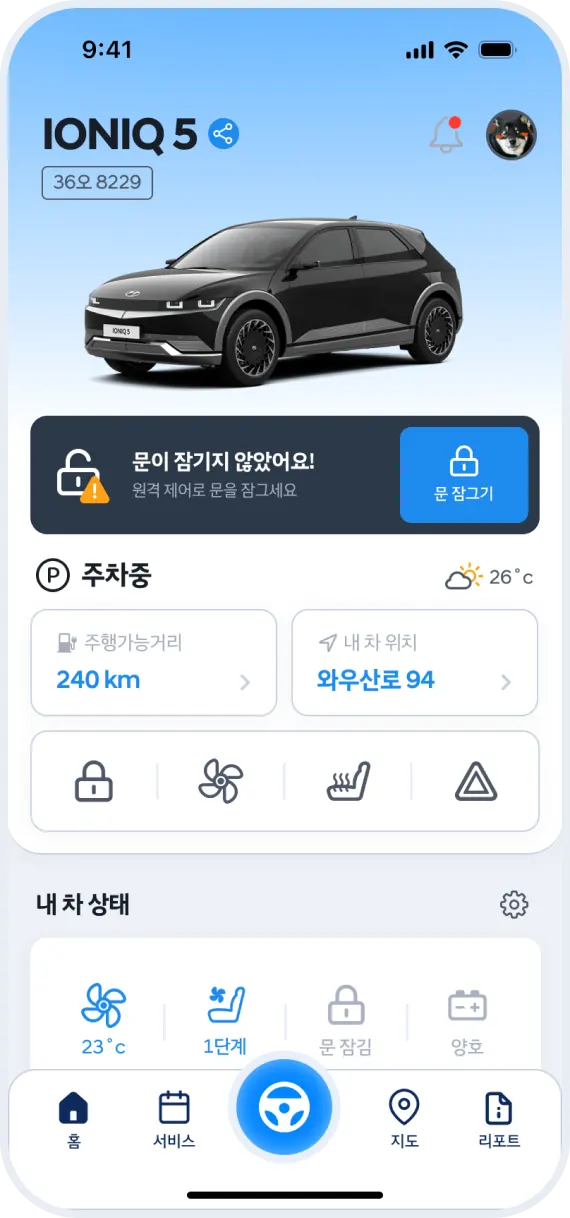
Home interface is designed to provide easy access to vehicle control functions.

Flexible Block

Utilized an interaction that keeps frequently used vehicle control shortcuts fixed at the top as user scroll, ensuring they are always easily accessible for the user.

Vehicle Control Panel

Vehicle controls are centered in the global navigation bar and accessible via a modal for easy access throughout the app.

Current Status

Users can check the vehicle's climate control status through a collapsible / expandable view.

SYNC Block

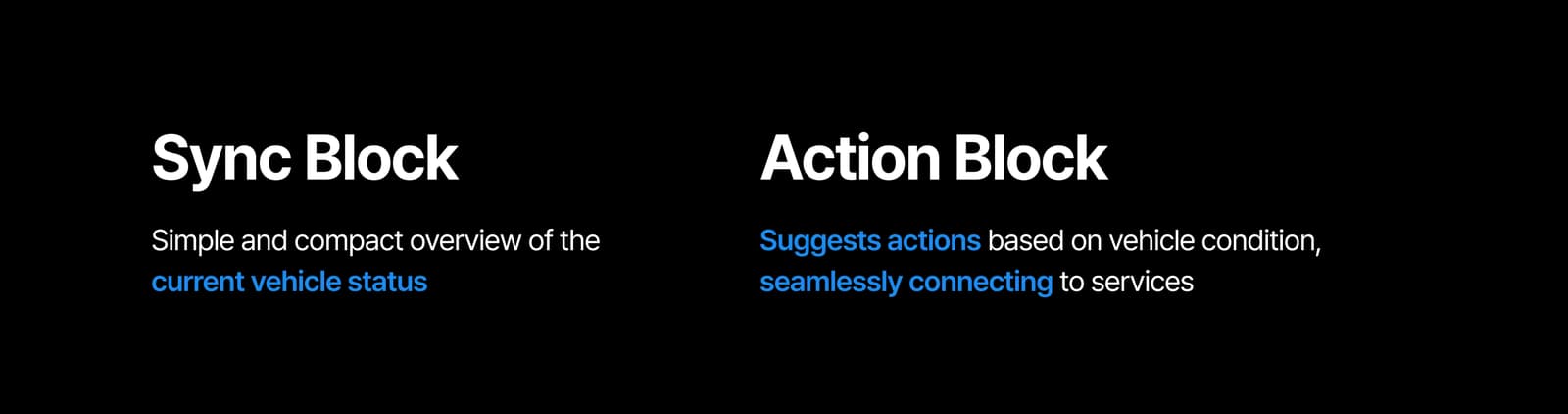
The SYNC Block displays relevant information tailored to the vehicle’s current status. Similar to Flexible Block, it remains fixed at the top of the app during scrolling, allowing users to check the vehicle’s current status while performing other tasks.

SYNC Block
Charge Block

The Charge Block displays remaining charging time, charging station information, and cost.

The Maintenance Block provides the current maintenance status, service center information, and the estimated pickup date.

Valet Parking Block

The Valet Parking Block provides driving distance, valet time, vehicle location, and privacy protection features.

Live Activity & Widget

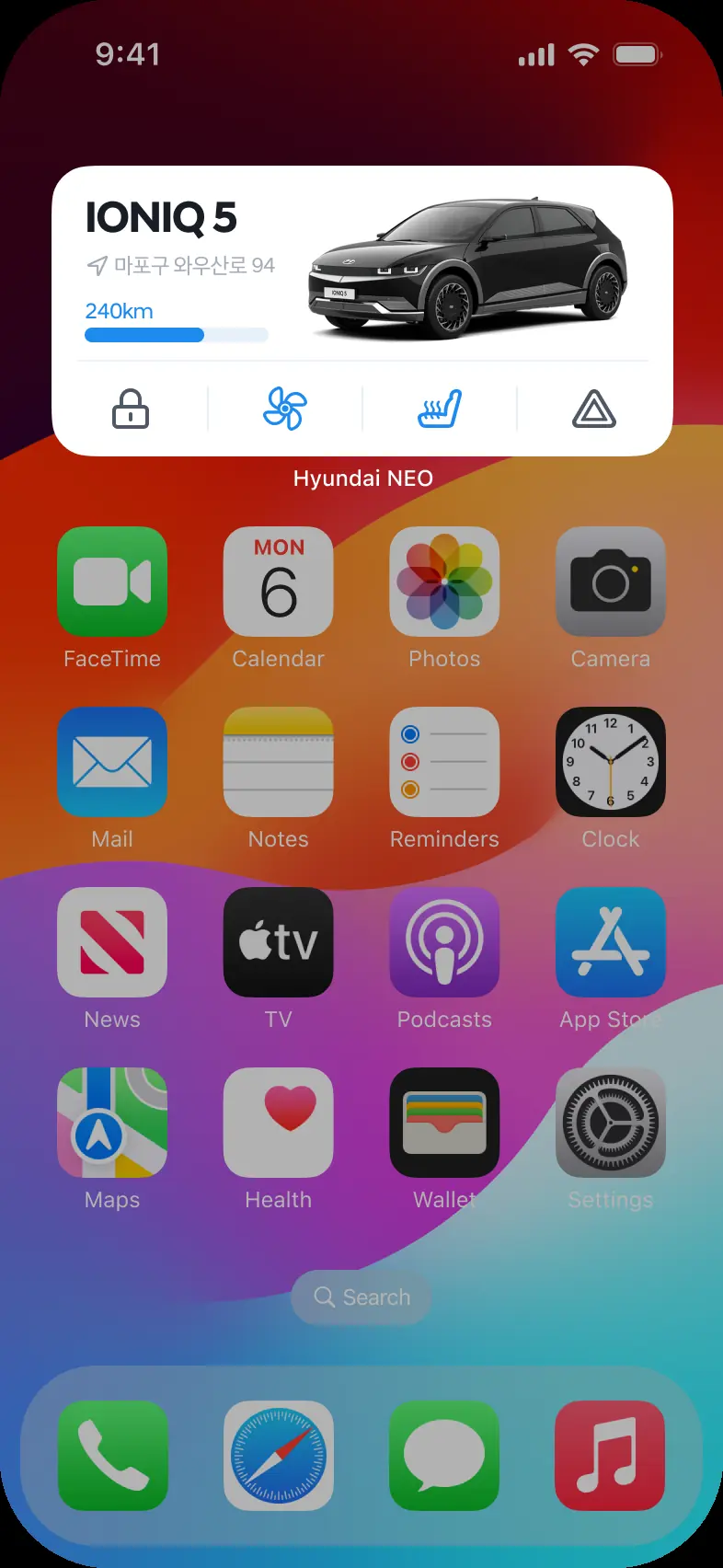
By leveraging the Live Activity and Widget features in iOS, users can view the car’s status directly on the home and lock screens without needing to enter the app.

Live Activities for SYNC blocks
NEO widget on the iOS home screen
Widget

Action Block

The Action Block carries forward the service features from the existing My Hyundai app, proactively offering necessary services based on the vehicle’s current condition.

Action Block on the home screen
On home screen
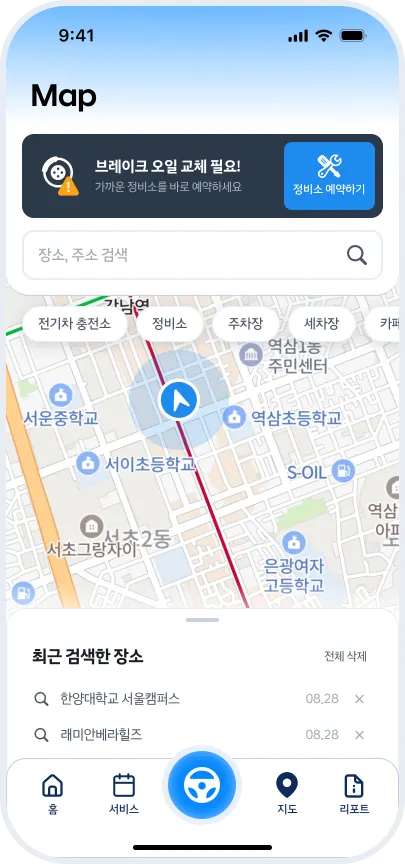
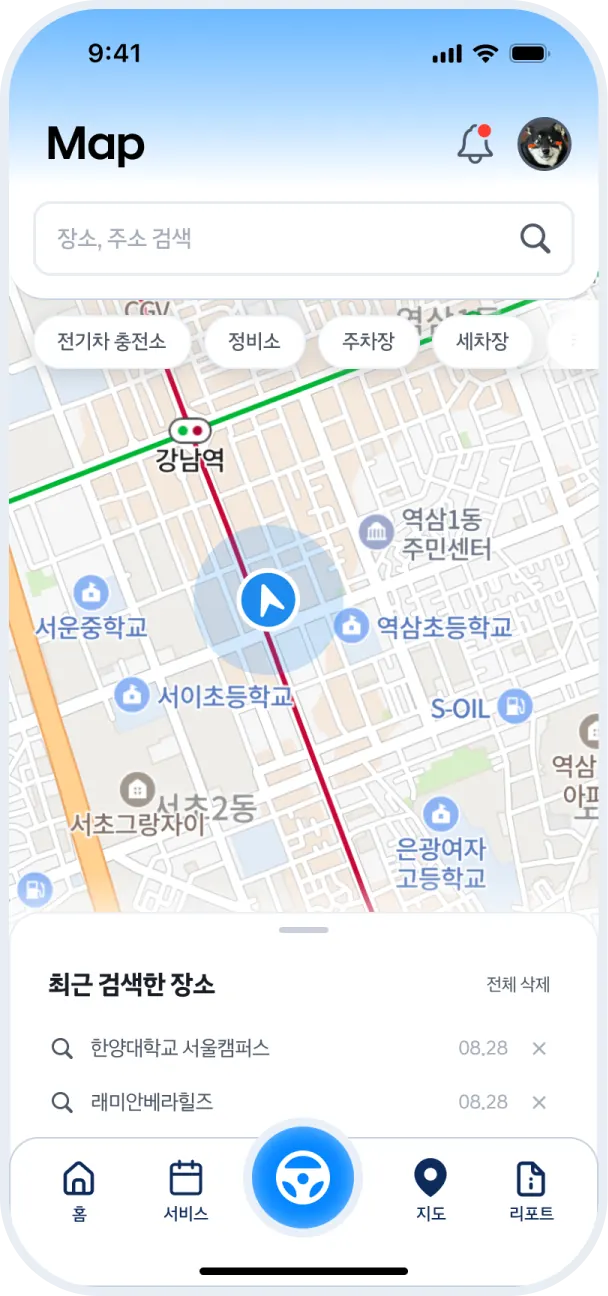
Action Block on the map screen
On map screen
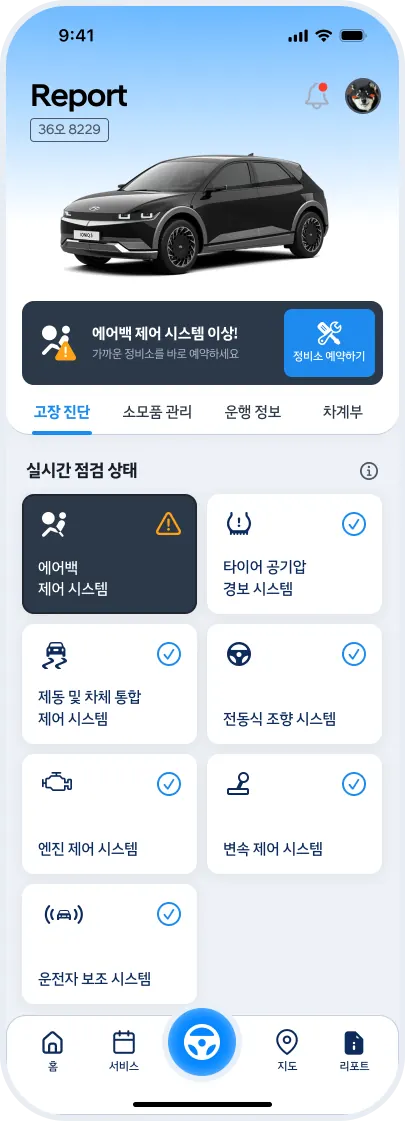
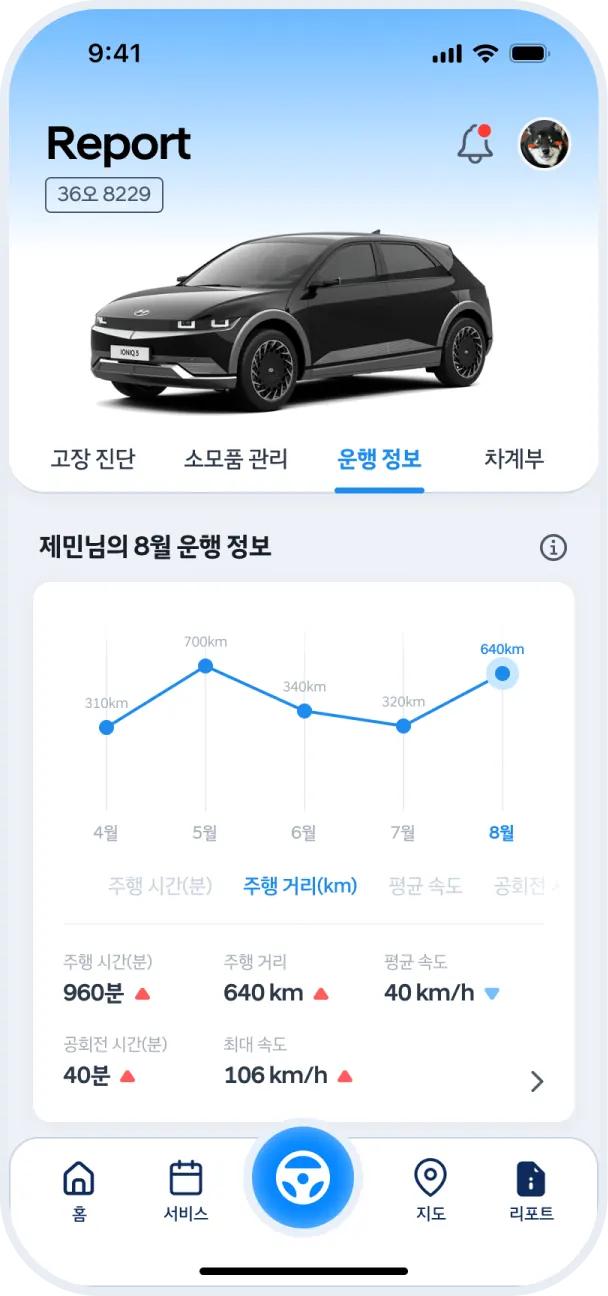
Action Block on the report screen
On report screen

Other designs

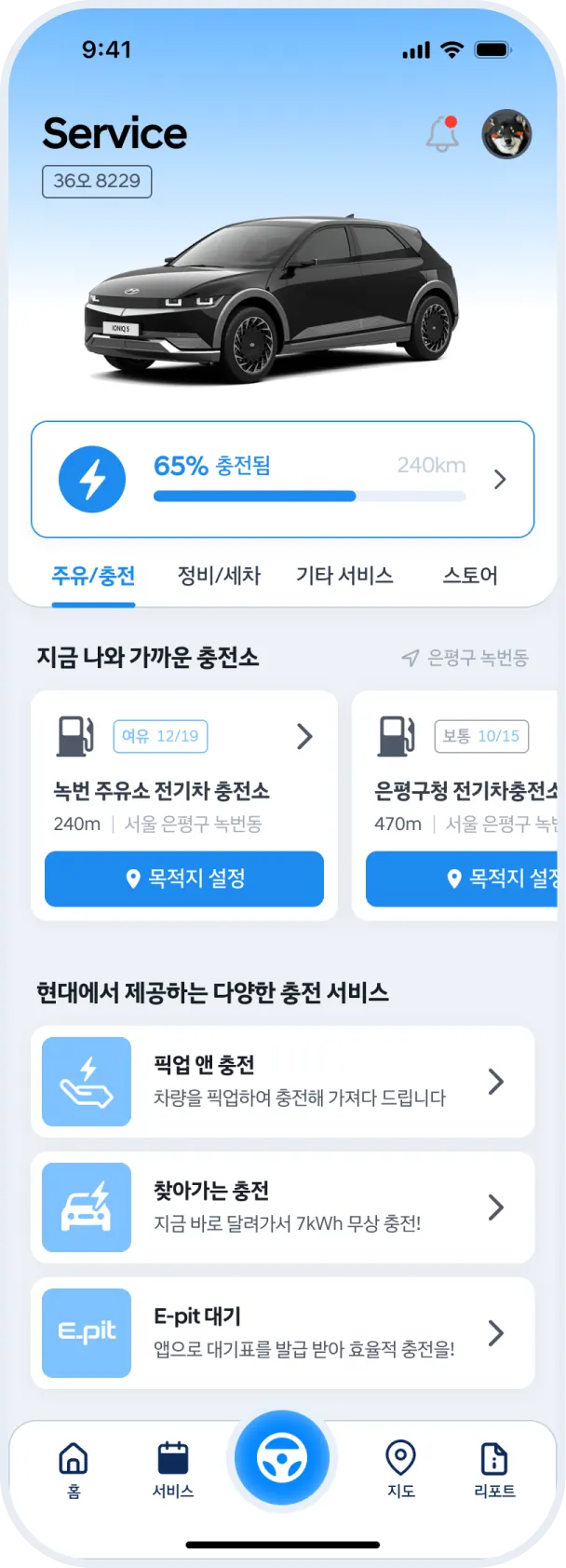
The Service and Report tabs are grouped by similar functions to enhance readability and usability.

NEO Service tab screens
Service Tab
NEO Report tab screens
Report Tab
NEO Map tab screens
Map Tab